
Catch Broken Deploys Before Your Users Do
Automatically simulate real user flows after every release so failed logins, broken checkouts, API errors and silent JavaScript issues never reach production unnoticed.
See exactly what failed and why.
Synthetic Journey · Login Flow
2 minutes ago
| 1 | Open login | /login | 3s | 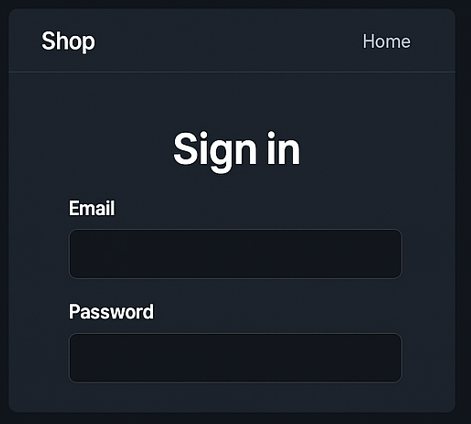 |
||
| 2 | Type email | /login | 329ms | 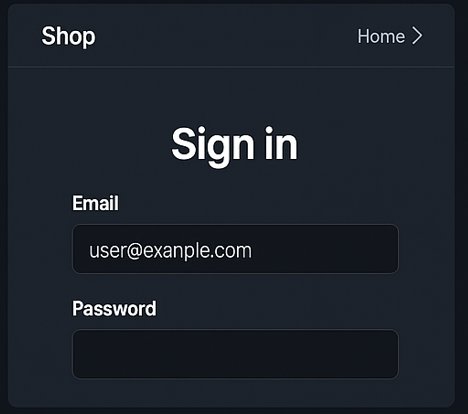 |
||
| 3 | Type password | /login | 248ms | 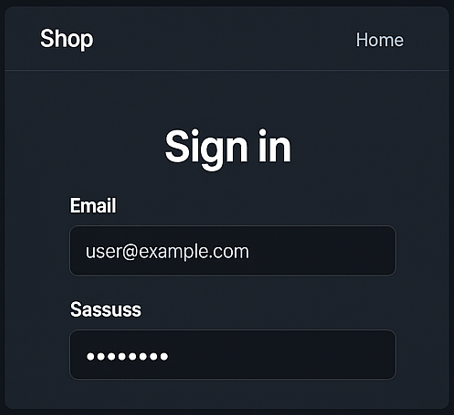 |
||
| 4 | Click 'login' | /login | 2s |  |
When Up Isn't Enough
Your uptime monitor can show 100% while
Login authentication silently fails
The server responds 200, but the authentication flow breaks due to token or session issues.
Checkout returns HTTP 500
The homepage loads, but payment fails after the final step.
Third-party APIs time out
Your app is up, but Stripe, Auth0 or another dependency is not responding properly.
JavaScript errors block user actions
The page loads, but a JS exception prevents form submission or button clicks.
Synthetic tests validate real user journeys, not just server availability.
Live Journey Preview
From Recording to Continuous Validation
Create a synthetic test in minutes with the Myriagon Chrome extension, no scripting, no code, no complexity.
1. Install the Recorder
One-click setup. Add the extension to Chrome and start capturing interactions immediately. No libraries, no environment config.
2. Record Your Flow
Just browse and click. Launch the recorder and navigate your site as a real user would. Myriagon automatically captures every step, click, and navigation in real-time. No scripting required, no code to write.
3. Review & Edit Steps
Total control. Refine your journey in the dashboard. Add assertions (like "Wait for text"), hide passwords, or inject dynamic test data.
4. Configure Execution
Global reach. Choose your frequency and deploy across 16 AWS regions. Detect regional latencies or CDN failures in seconds.
5. Save & Run
24/7 Peace of mind. We run real browsers and alert you via Slack, Email, or Webhook the moment a flow fails.
Built for Modern Dev Workflows
Continuous monitoring
Run tests at regular intervals to ensure your most important user journeys keep working, even when no new code is deployed.
Even without new deployments, integrations, tokens and third-party services can fail silently.
Trigger tests directly from your pipeline.
Trigger synthetic tests from your CI/CD pipeline.
Validate staging or production after each release.
Fail fast if critical flows break.

Github

BitBucket

Jenkins
$ curl -X POST https://api.myriagon.io/tests/123/execute \
                            -H "Authorization: Bearer YOUR_API_KEY"
Simple HTTP call. No SDK required.
Know the Moment Something Breaks.
When a critical user flow fails, your team is notified instantly. No dashboards to check. No guessing.
- Real-time Slack notifications
- Webhook triggers for automation
- Email reports with logs
- Teams integration
❌ Login flow failed (UK)
2 minutes agoPOST /incident-handler
Status: 200 OKAPI Timeout - /api/signin
Details attachedTest From Multiple Locations
Simulate real traffic from 16+ global regions including Europe, North America, Asia, and Oceania. Understand what your users experience, no matter where they are.
Lightweight Monitoring Without Enterprise Overhead.
No complex configuration
No bloated dashboards
No mandatory bundles
Pay only for what you use
Built for teams that ship fast, without the complexity of enterprise observability platforms.
Start monitoring your critical flows today
No credit card required.
Frequently Asked Questions
